
Jeffbet Casino Login
Sign up today and access your account in minutes with 24/7 support.
Top Jeffbet Casino Games






Game Library






You can reach your Jeffbet Casino account in a few simple steps. For login issues, solutions are available for incorrect passwords, locked accounts, missing confirmation e-mails and browser errors. English-language support is available 24/7 for assistance.
How to Log In: Step-by-Step
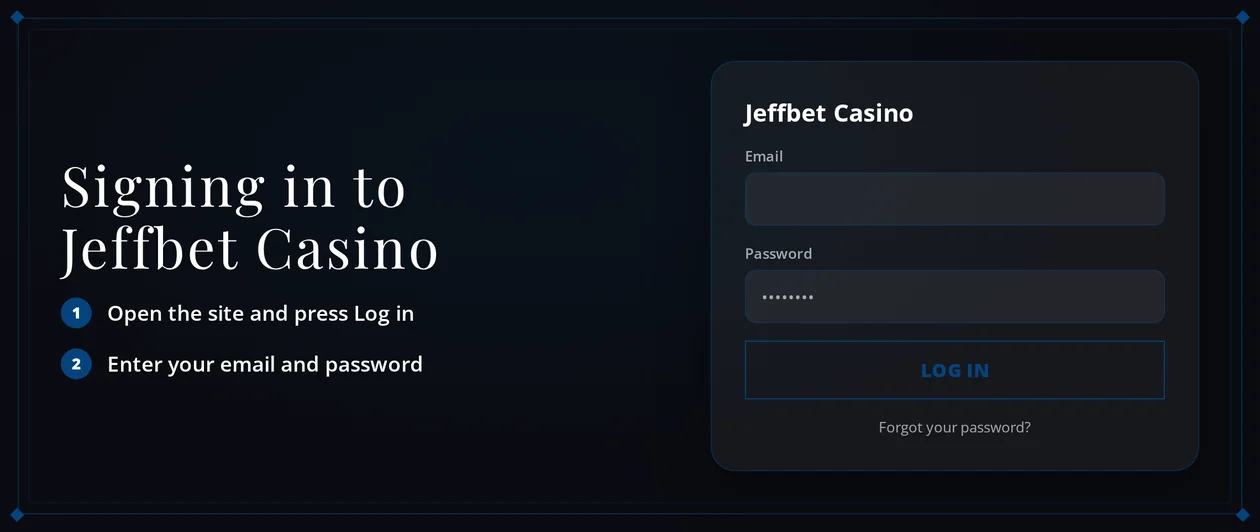
Jeffbet Casino operates in any current browser on computer or phone. To log in, use the email and password from your registration.
Launch Jeffbet Casino in your web browser.
Click the Log In button.
Input the email address associated with your account.
Type your password precisely as you created it, checking for caps lock.
Confirm the login via e-mail if you are asked to.
Jeffbet Casino does not provide two-factor authentication by default. Your account security depends on your password and email verification, so maintain access to the inbox you used to register.
Login Problems and Fixes
Most login failures result from a typing error or an old browser session. Begin with the step that corresponds to your error.
| Problem | Likely Cause | Quick Fix |
|---|---|---|
| Wrong password message | Typo, caps lock or an old password | Retype carefully, then reset the password |
| Confirmation e-mail missing | Wrong inbox or spam filtering | Search spam and promotions folders, then request it again |
| Account locked | An active time-out, self-exclusion or GAMSTOP registration | Follow the steps in the locked account section |
| Page freezes or loops back to login | Old cookies or cached files | Clear cookies and cache for the site |
Removing browser data resolves many reloading and freezing issues. You can do this yourself right away:
- Shut all Jeffbet Casino browser tabs.
- Access your browser settings and find the privacy area.
- Delete cookies and cached files for Jeffbet Casino, or for the last 24 hours.
- Restart the browser.
- Attempt to log in again using a private browsing window if issues persist.
How to Reset Your Password
A lost password is the top cause of login problems. You can create a new one yourself, provided you can access the email account linked to your registration.
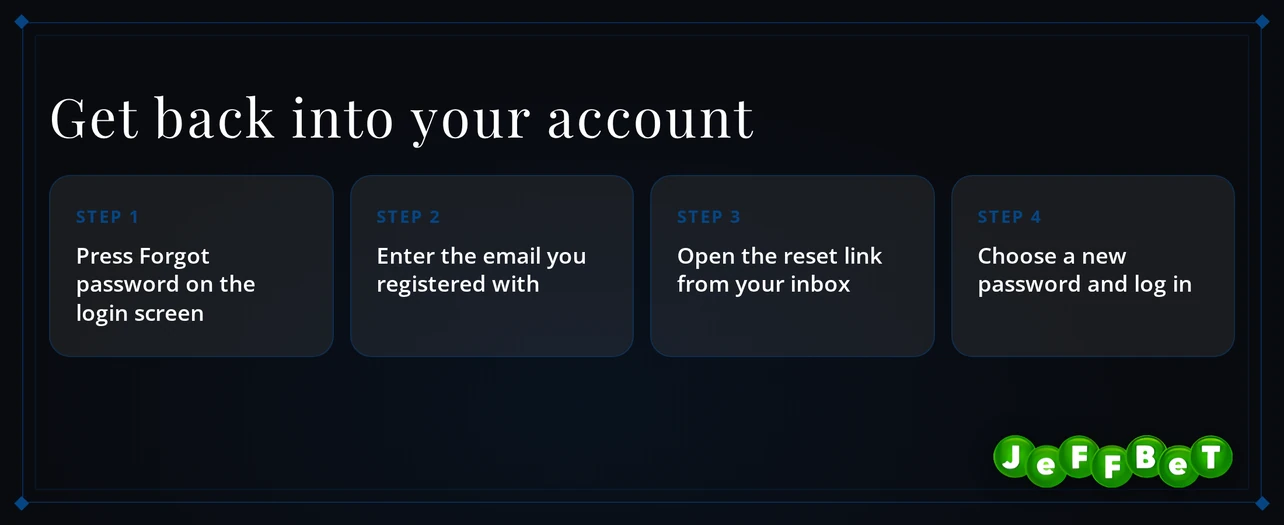
- Navigate to the login page and choose the forgotten password link.
- Provide the email address you used to sign up.
- Find and open the email from Jeffbet Casino. Look in your spam folder if it's missing.
- Click the link in that message to reach the password page.
- Enter a new password, save it, and then log in using it.
Choose a password you don't use elsewhere. With email as the primary security, a unique password better secures your funds than a repeated one.
Account Locked or Suspended
If you still cannot get in with the correct details, the cause determines who must act and when.
| Situation | Who Acts | When |
|---|---|---|
| Forgotten or wrong password | You, then support if needed | Immediately - reset the password first, then contact support |
| Time-out of 1-42 days | You | When the chosen period ends |
| Self-exclusion of 6-12 months minimum | You | When the exclusion period ends |
To ask for an unlock, proceed in this sequence:
- First, reset your password using the steps provided.
- Next, attempt one new login in a private browsing window.
- If the account remains locked, launch live chat with your registered email address at hand.
- Tell the agent the exact on-screen message you see.
- Carry out the agent's directions and await the confirmation response.
Jeffbet Casino provides a time-out of 1-42 days and self-exclusion for at least 6-12 months, plus GAMSTOP integration. While either runs, the account stays shut for play.
If gambling no longer feels voluntary, the GamCare National Gambling Helpline at 0808 8020 133 (gamcare.org.uk) gives confidential help.
KYC Verification
Verification does not block your login: Jeffbet Casino checks your documents before approving your first withdrawal. Sign-up requires your full name, birth date, gender, address, and ID/KYC papers to prove eligibility.
Information that needs to align with your documents includes:
- Your full name, identical to your ID
- Date of birth
- Gender
- Current home address
- ID/KYC files uploaded to your account
You submit the documents, and Jeffbet Casino checks them within 24-72 hours. Send clear, complete photos to keep the review quick. A name mismatch between your account and your ID is the usual cause for a delayed review.
Logging In via Mobile App
Jeffbet Casino does not have an iOS or Android app. The site is a fully responsive mobile site that runs as a web app in your phone's browser, with nothing to download.
| Device | Access Method | Download |
|---|---|---|
| iPhone and iPad | Mobile browser web app | Not needed |
| Android phone and tablet | Mobile browser web app | Not needed |
Sign in on your phone with the same email and password as on your computer. There is no biometric login or push alerts. Your password is the only thing you need to know. If the site acts up on mobile, clear your browser's cookies using the desktop method.
Contact Support
When the self-service fixes do not work, support can help with access and answer verification questions. Jeffbet Casino support is available 24/7 in English.
| Channel | Availability | Language |
|---|---|---|
| Live chat | 24/7 | English |
| 24/7 | English | |
| Help centre | 24/7 | English |
Gather these details to help resolve issues faster:
- The email address on your account
- Your registered full name and date of birth
- A screenshot or the precise error text
- When you last logged in successfully
Use live chat for immediate lockouts. Email is best for sending verification files or screenshots.
FAQ
Jeffbet Casino welcomes players aged 18 and above. Gamble responsibly. Set spending limits that fit your finances. Stop playing when it ceases to be enjoyable.